
Mobile gaming has become one of the most popular ways to enjoy entertainment on smartphones. Millions of users download games every day from app stores and other platforms, including APK websites. However, before installing any game, many users ignore one important thing: app permissions.
Android game permissions control what access an application can request from your device. Some permissions are necessary for features like online gameplay, saving progress, or voice chat, while others may require extra attention.
Understanding Android game permissions helps you make better decisions, protect your personal information, and enjoy gaming with more confidence.
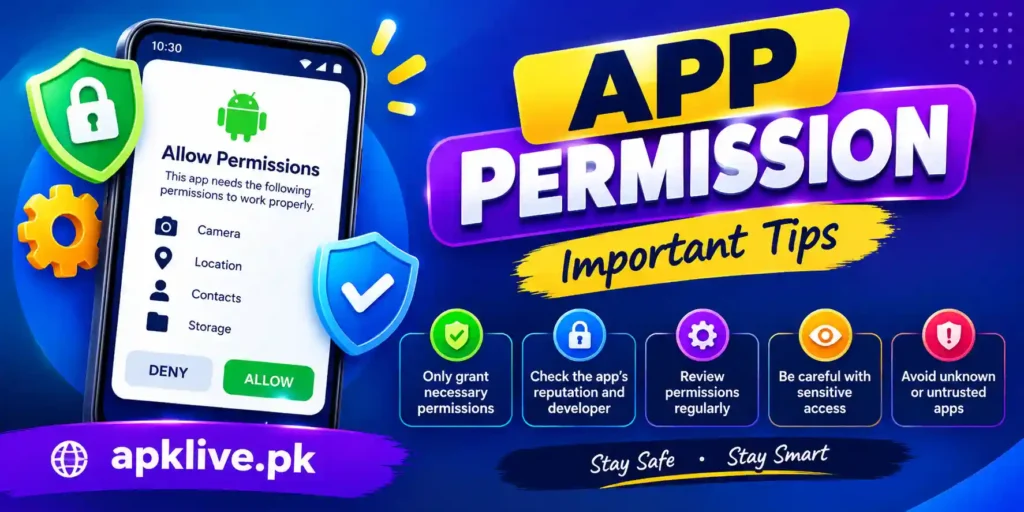
What Are Android App Permissions?
Android app permissions are requests that allow an application to access certain features or information on your device.
When you install a game, Android may ask for permission to use different phone features, such as:
- Internet connection
- Storage
- Camera
- Microphone
- Notifications
- Location services
These permissions exist because games need access to specific features to provide their functions properly.
For example:
- An online multiplayer game needs internet access to connect with servers.
- A game with voice chat may need microphone app permissions.
- A game that saves downloaded files may need storage access.
However, not every permission request is always necessary. That is why checking permissions before installation is a good security habit.
Why Do Games Need App Permissions on Android?
Different games request different permissions depending on their features and design.
Online Gameplay
Many modern games require internet access to:
- Connect with game servers
- Download updates
- Enable multiplayer modes
- Sync account progress
Without internet permission, online games may not work properly.
Saving Game Data
Some games need access to storage for:
- Downloading additional game files
- Saving game progress
- Storing settings and preferences
Newer Android versions have improved storage security, giving users more control over file access.
Communication Features
Games with social features may request:
- Microphone access for voice chat
- Notifications for messages and updates
These permissions should only be enabled when you actually use those features.
Common Android App Permissions Explained
| Permission | Why Games Request It | User Consideration |
|---|---|---|
| Internet Access | Online gameplay, updates, multiplayer features | Commonly required for online games |
| Storage Access | Saving files and downloading game resources | Allow only when needed |
| Notifications | Game alerts, events, and updates | Optional based on preference |
| Microphone Access | Voice chat and communication | Enable only for voice features |
| Camera Access | AR features, scanning, or camera-based gameplay | Check why it is required |
| Location Access | Location-based features and services | Review carefully |
| Contacts Access | Finding friends or social features | Usually unnecessary for most games |
Which Android Game Permissions Should You Be Careful About?
Not all permissions carry the same level of privacy concern. Some permissions provide access to sensitive information and should be reviewed carefully.
Contacts Permission
Contacts access allows an app to view your saved contacts.
Some games may request this for:
- Finding friends
- Social invitations
- Sharing features
If a game does not provide social features, this permission may not be necessary.
Location Permission
Location access allows apps to know your approximate or exact location.
Games may use this for:
- Location-based gameplay
- Regional events
- Local features
Always check why a game needs location access before allowing it.
SMS and Phone Permissions
Access to SMS messages or phone functions is sensitive.
Most games do not need these permissions for normal gameplay. If an application requests them without a clear reason, review the permission carefully.
How to Check Game Permissions Before Installing?
Before installing any Android game, you can review available information about permissions.
Follow these steps:
- Open your Android Settings
- Go to Apps
- Select the game application
- Tap Permissions
- Review allowed and denied permissions
You can change permissions anytime based on your comfort level.
Android also shows permission requests during installation or the first time a feature is used.
Before downloading any gaming application from apklive.pk, it is important to understand how to choose safe gaming apps in 2026 and check important security factors.
APK Games and Permission Safety
Many users download APK files to install games that may not be available through official app stores. While APK files can provide access to different applications, users should be careful about permissions.
Before installing an APK game:
- Check the requested permissions
- Avoid APK files from unknown sources
- Read available information about the application
- Scan files before installation
- Avoid modified APK versions that request unnecessary access
A game should generally request permissions related to its actual features. For example, a simple offline puzzle game usually does not need access to contacts or messages.
Payment Options for Gaming Apps
Many users prefer digital payment services for online transactions because they offer quick and convenient payment solutions. In Pakistan, services like JazzCash provide mobile wallet features that allow users to manage digital payments easily.
How to Manage Game Permissions on Android
Android allows users to control permissions after installing an application.
You can:
- Allow permissions
- Deny permissions
- Remove unused permissions
- Stop background access (where available)
To manage permissions:
Settings → Apps → Select Game → Permissions
Reviewing permissions regularly helps keep your device organized and improves privacy control.
If you are installing games from APK files, check our complete guide on how to install game APK files on Android safely.
Tips to Keep Your Device Safe While Downloading Games
Download From Trusted Sources
Use reliable sources when downloading games. Unknown websites may contain modified files or apps with unwanted behavior.
Keep Android Updated
System updates often include security improvements that protect your device. Read our T7777 Game Download Guide for more information.
Check Reviews and Information
Before installing a game, look at:
- User feedback
- Developer information
- App details
- Permission requests
Remove Unused Apps
Old games that you no longer use may still have access permissions. Removing unused applications can improve device security.
Avoid Giving Unnecessary Permissions
Only allow permissions that are required for the features you want to use.
For users interested in specific gaming applications, our Y888 Download Guide explains features, installation steps, and important information.
Frequently Asked Questions
Do Android games need all requested permissions?
No. Games only need permissions related to their features. Some permissions may be optional and can be denied.
Are APK games safe to install?
Can I change game permissions after installation?
Why does a game need internet permission?
Online games require internet access for multiplayer features, updates, server connections, and account synchronization.
Should I allow location permission for games?
Only allow location permission when the game clearly requires location-based features.
Final Thoughts
Android game permissions are an important part of mobile security and privacy. Understanding what each permission does allows users to make better choices before installing games.
Most games require some permissions to work properly, but users should always review requests and only allow access that makes sense. By checking permissions, downloading from trusted sources, and managing app access regularly, you can enjoy mobile gaming while keeping your device safer.